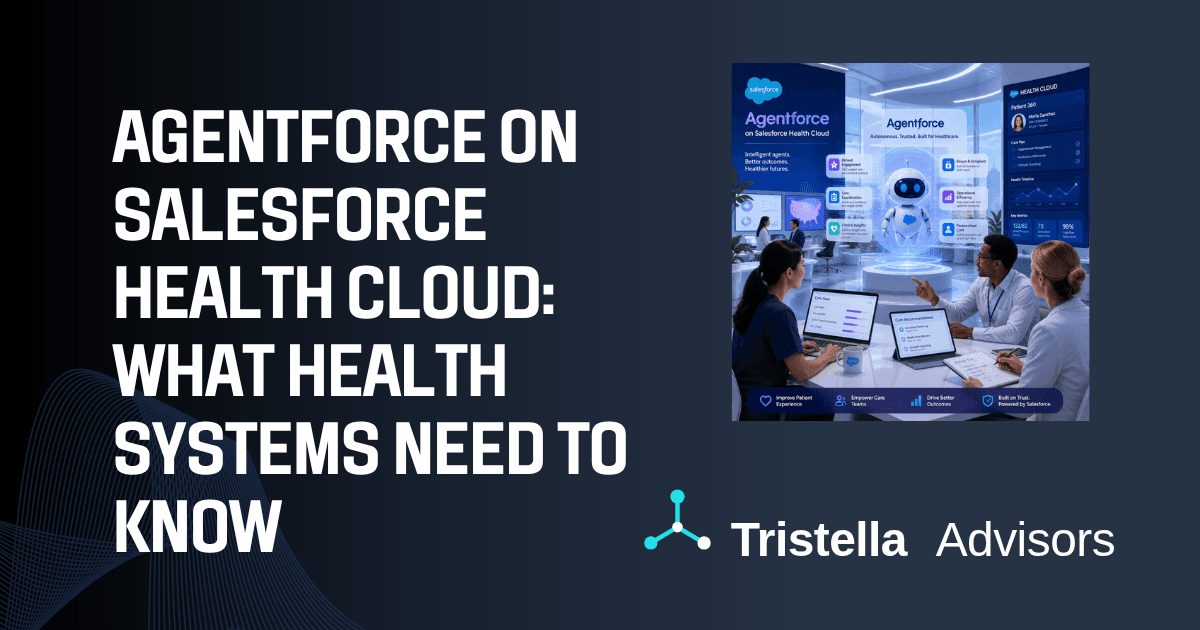
Layering Agentforce on top of Salesforce Health Cloud is not the same project as a standard Agentforce deployment. The Health Cloud data model, the HIPAA compliance requirements, and the clinical workflows involved make it a distinct implementation that requires a different preparation checklist. This post is for health systems, payer organizations, and digital health companies that already have Health Cloud in production and are now asking what it takes to actually build and deploy AI agents on top of it.
What Agentforce adds to Health Cloud that standard Service Cloud does not
The starting point that matters for healthcare organizations is understanding what Agentforce does differently when it sits on Health Cloud versus when it runs on a standard Service Cloud org.
In a standard Agentforce deployment, agents work with standard objects: Cases, Contacts, Accounts, Knowledge articles. In Health Cloud, the data model is extended with clinical objects (Care Plans, Care Gaps, Clinical Summaries, Referral Management, Episodes of Care, and Health Conditions). Agentforce agents built on Health Cloud can be grounded in this clinical context, meaning an agent handling a care coordination workflow can see a patient's active care gaps, their care plan status, and their upcoming referrals, not just an open case record.
This is the meaningful difference. An Agentforce deployment on the standard Service Cloud that touches healthcare data is essentially a general-purpose customer service agent with limited clinical awareness. An Agentforce deployment that is built against the Health Cloud data model and properly grounded in clinical data can support real clinical workflows: identifying patients at risk of readmission, surfacing care gaps during patient outreach, routing complex cases to the right care team member based on the patient's condition profile.
The gap between these two outcomes is determined entirely by how well the Health Cloud instance is set up before Agentforce is introduced.
What your Health Cloud instance needs before you build
The most common reason Agentforce implementations on Health Cloud stall or underdeliver is that the organization begins the agent work before the underlying Health Cloud configuration is solid. Agents are only as useful as the data they can access, and Health Cloud implementations frequently have significant gaps in their clinical data objects.
Person Account model vs. standard Contacts. Health Cloud is designed to run on Person Accounts, the Salesforce object that treats each individual as simultaneously an Account and a Contact. Organizations that migrated to Health Cloud without converting to Person Accounts, or that implemented Health Cloud on top of a Salesforce org originally built around standard Contacts, often have data model inconsistencies that create problems when agents try to retrieve or reason about patient records. Agents built against Person Accounts will not behave correctly if the underlying data is mixed across Person Accounts and standard Contacts. This needs to be resolved before agent development begins.
Care Plan and Care Gap object completeness. If Care Plans exist in the system but are sparsely populated (missing condition linkages, incomplete goal tracking, or no task assignments), agents that reference Care Plan data will surface incomplete or misleading context. The same applies to Care Gaps: an agent configured to surface care gap closure opportunities is only useful if the Care Gaps object is being populated consistently, ideally through integration with your EHR or payer data feeds. Before scoping any agent use case that touches clinical data, audit the completeness and freshness of the relevant Health Cloud objects.
OmniStudio and FlexCards. Many of the workflow automation capabilities that make Agentforce useful in a Health Cloud context depend on OmniStudio, the Salesforce component that handles complex guided workflows and multi-step processes. If your Health Cloud implementation has not built out OmniStudio processes for the workflows you want to automate, agents will have limited actions to invoke. An agent can surface a care gap and recommend an outreach call, but if there is no OmniStudio process to initiate and track that outreach, the agent's output dead-ends.
Integration with the EHR. Agentforce agents in Health Cloud are most useful when they can reference current clinical data, not just CRM data. Organizations that have built FHIR API integrations between their EHR and Health Cloud will have significantly richer agent grounding than organizations in which Health Cloud contains only what was manually entered by the care team. If EHR integration is not in place, agent use cases should be scoped to what is actually available in the Salesforce data model, not to what the organization wishes were available.
If you are not certain how much of this groundwork is already in place, the Salesforce Agentforce Readiness Assessment scores your org health, data quality, and AI agent governance gaps in about three minutes and returns a written action plan you can bring to your implementation team.
HIPAA compliance and the Einstein Trust Layer in a healthcare context
Healthcare organizations asking whether Agentforce is HIPAA-eligible need to understand how the Einstein Trust Layer works and where the compliance boundaries sit.
The Einstein Trust Layer is Salesforce's architecture for LLM interactions that ensures data sent to the language model for inference is not retained, not used for training, and not logged in a way that exposes it outside the organization's Salesforce environment. The zero-retention architecture is what makes the Einstein Trust Layer relevant for HIPAA contexts: PHI that is processed through an Einstein or Agentforce feature covered by the Trust Layer does not leave Salesforce's controlled environment in a way that would constitute a disclosure.
The practical requirements for healthcare organizations are these: a Business Associate Agreement with Salesforce must be in place before any Agentforce feature is used with PHI. Not all Einstein features are covered by the Trust Layer; the specific features enabled in your org need to be reviewed against Salesforce's current HIPAA-eligible feature list, which Salesforce publishes and updates as features move in or out of eligibility. Features that are not on the HIPAA-eligible list cannot be used with PHI without additional controls.
The configuration work involved includes enabling the Einstein Trust Layer in your org settings, reviewing which LLM providers are in use for which features (Salesforce supports multiple LLMs, and not all have the same Trust Layer coverage), and ensuring that Prompt Builder templates and agent prompts are constructed in a way that does not inadvertently include PHI in contexts where the Trust Layer is not active.
This is not a one-time checkbox. As the Agentforce platform evolves and new features are enabled, the HIPAA eligibility review needs to happen again. Healthcare organizations should establish a process for reviewing new Einstein and Agentforce features before enabling them in the production org.
For a deeper treatment of how HIPAA applies to AI tools in Salesforce and beyond, our post on HIPAA-compliant AI covers the broader framework; the Salesforce-specific controls described here are what matter for Agentforce deployments specifically.
The use cases worth building first
Not all Agentforce use cases deliver equal value in a Health Cloud context. The following consistently produce meaningful results in the first six months of deployment because they work with data that is typically already well-structured in Health Cloud and support workflows where agent assistance changes outcomes, not just saves clicks.
Care gap closure outreach. Care coordinators spend significant time identifying patients who have missed screenings, vaccinations, or follow-up appointments and then initiating outreach. An agent configured to surface care gap lists, draft personalized outreach messages, and log outreach activity can meaningfully accelerate this workflow. The use case works because the inputs are structured (Care Gap records with condition codes and closure criteria) and the output is well-defined (a personalized message or a scheduled call). It is also measurable: care gap closure rates before and after agent deployment give a clear picture of impact.
Prior authorization support. Prior authorization is one of the most time-intensive workflows in a health system, and it is one where agent assistance can reduce both processing time and error rates. Agents configured to pull relevant clinical documentation from the patient's Health Cloud record, identify the authorization criteria for a given procedure or medication, and draft the authorization request create meaningful time savings for revenue cycle and care team staff. The constraint is that this use case requires the Health Cloud data to be comprehensive enough to support the request, which returns to the data completeness requirements above.
Discharge and transition of care follow-up. Patients transitioning from inpatient to outpatient care represent one of the highest-risk populations for readmission. An agent configured to trigger follow-up outreach based on discharge events, surface the patient's care plan and outstanding care gaps to the care coordinator handling the follow-up, and log all interaction outcomes in Health Cloud supports the kind of coordinated transition of care that reduces readmissions. This use case typically requires EHR integration to receive discharge event triggers in real time.
Benefits and eligibility navigation. Payer-facing Health Cloud implementations can deploy agents to help members understand their benefits, check eligibility for specific services, and identify in-network providers, without requiring a live agent for every inquiry. This is a lower clinical-data-dependency use case and can be built earlier in implementations where clinical data completeness is still being addressed.
Implementation sequence: what to build in what order
The organizations that deploy Agentforce on Health Cloud successfully follow a sequencing that most organizations try to shortcut. The shortcut consistently produces agents that go live but do not get used.
First: define the workflow, not the agent. Before any Agentforce configuration begins, the workflow the agent will support needs to be mapped by the people who currently do that work. What information does a care coordinator need to initiate a care gap outreach call? What does a prior authorization specialist check, in what order, before submitting a request? Agents designed from a technology-forward perspective ("what can Agentforce do?") rather than a workflow perspective ("what does this person need to do their job?") produce tools that feel generic and get abandoned.
Second: audit and remediate the data model. Based on the workflow mapping, identify which Health Cloud objects the agent will need to access. Audit the completeness, accuracy, and freshness of those objects in the production org. Remediation (improving data completeness through integration, data cleansing, or workflow changes) should happen before agent development begins, not in parallel.
Third: configure the Einstein Trust Layer and complete the HIPAA review. This should happen before any prompts are written or Agent Topics are configured, because the compliance review may constrain what the agent can do or what LLM it can use.
Fourth: build and test with clinical SMEs. The first version of any clinical agent should be built with the active involvement of the clinical or operational staff who will use it. Prompt Builder templates and Agent Topic definitions written without clinical input consistently produce agents that surface the wrong information in the wrong format for the clinical context at hand. Testing with synthetic or de-identified data before production deployment is a standard practice that healthcare organizations sometimes skip in the urgency to deploy. It is the step most likely to surface problems that would be serious in production.
Fifth: stage the rollout. A cohort of care coordinators or clinical staff using the agent in production, with a structured feedback loop, reveals problems that testing does not. Plan for iteration after initial deployment. The first production version is never the final one.
What health system teams consistently underestimate
After working through Health Cloud and Agentforce implementations with health system and payer clients, the gaps that consistently surprise teams are not technical. They are organizational.
Prompt governance. Prompts used by Agentforce agents in a clinical context are not set-and-forget configuration. They need to be reviewed by clinical and compliance stakeholders when clinical guidelines change, when new conditions or care programs are added to the organization's scope, or when Salesforce updates the underlying model behavior. Most organizations have no process for this at the start of deployment.
Agent output review. Especially in the early months of a clinical agent deployment, the outputs agents produce (drafted messages, surfaced records, generated summaries) need a defined review process. Who reviews prior authorization drafts before submission? Who validates care gap outreach messages before they go out? Agentforce is an AI assistant, not an autonomous clinical actor, and the governance for how its outputs enter clinical workflows needs to be explicitly designed.
Change management with care teams. The clinical staff who will use these tools did not choose them, have seen technology tools promised and underdelivered before, and are often appropriately skeptical. Deployments that invest in explaining what the agent can and cannot do, building in feedback mechanisms from day one, and visibly acting on that feedback see adoption rates that are meaningfully higher than deployments that treat go-live as the finish line.
Tristella's Agentforce implementation practice addresses all three of these organizational dimensions alongside the technical configuration work. An agent that the care team does not trust or does not use does not produce outcomes, regardless of how well it is built.
If your organization has Health Cloud in production and is planning an Agentforce deployment, the work you do before the first agent goes live determines whether this initiative delivers clinical value or becomes another shelf technology. Velma McConnell leads Tristella's Agentforce advisory practice and works directly with health system and payer clients on Health Cloud + Agentforce implementations. Contact us to talk through where you are and what the right next step looks like.
Related reading:
Is Your Salesforce Health Cloud Ready for Agentforce? What Nobody Tells You Before You Start
What Is Salesforce Health Cloud and Is It Right for Your Healthcare Organization?
Is Your Salesforce Org Ready for Agentforce? A Practical 5-Point Readiness Check
HIPAA-Compliant AI: What Healthcare Organizations Need to Know