Salesforce has closed over 9,500 paid Agentforce deals since launch, making it the fastest-growing product in the company's 26-year history. The interest is real. So are the failed deployments.
19% of Agentforce deployments never reach payback. When they fail, the cause is rarely the AI platform itself. 32% of failures trace back to data quality issues: agents reasoning over duplicate records, stale opportunity stages, and incomplete account data, then producing confident outputs based on incomplete information. The other failures tend to cluster around automation conflicts, misconfigured permissions, and use cases that were never defined precisely enough to measure.
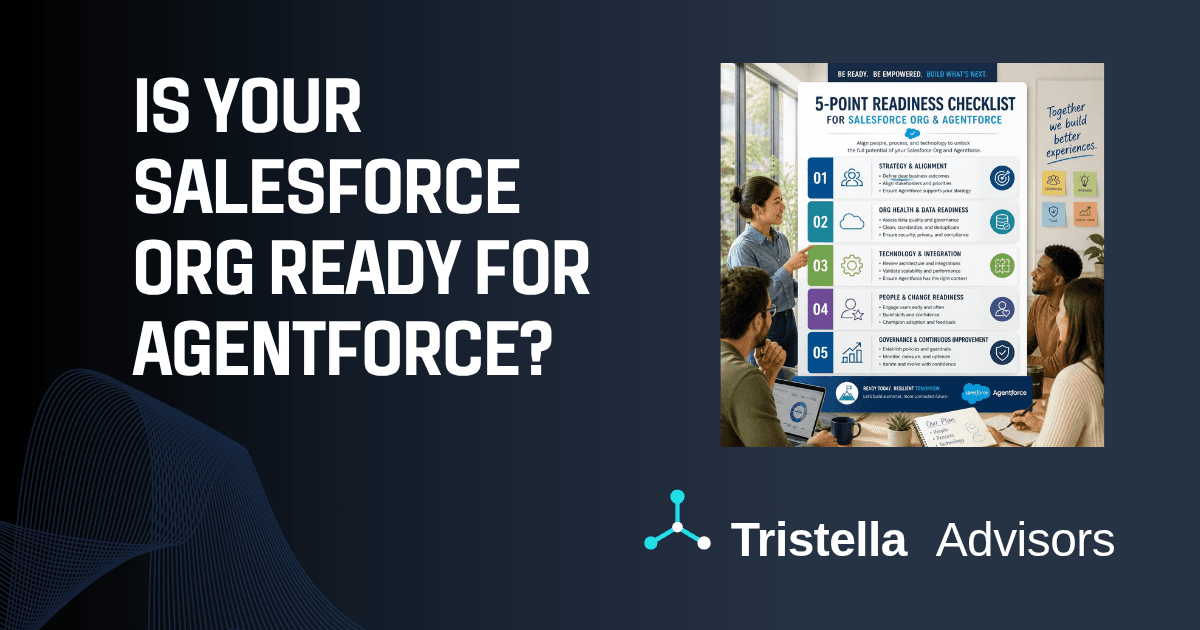
The organizations achieving an average ROI of 171% with Agentforce are not the ones that moved the fastest. They're the ones who checked these five things before they started building.
1. Your data quality
Agentforce agents pull from your Salesforce records and Data Cloud profiles to make decisions. The agent doesn't know which fields your team trusts and which ones they've quietly learned to ignore. It treats everything it can access as ground truth.
Only 7% of enterprises consider their data completely ready for AI deployment, according to a March 2026 study from Cloudera and Harvard Business Review Analytic Services. The practical consequence is specific: completeness rates below 70% on required fields typically produce unreliable agent outputs. An agent trying to personalize outreach or qualify a lead based on a field that's populated 60% of the time fails 40% of the time. The failures aren't always obvious. The agent still produces an output. It's just built on a gap.
Before Agentforce configuration begins, the data work that has to happen includes:
Deduplicating your core objects. Salesforce orgs running for more than two or three years typically carry between 5% and 30% duplicate account and contact records. An agent routing work or summarizing a customer history that spans three duplicate records produces a summary of three partial pictures, not one complete one.
Standardizing picklist values and key field formatting. Agents don't infer meaning from inconsistency the way experienced users do. If your opportunity stages or case categories were set up for workflows that no longer exist, the agent reasons from that map.
Archiving records that haven't been updated in 18 or more months. Stale data isn't neutral. It actively misleads.
This is the least exciting part of an Agentforce readiness assessment, yet the most consequential.
2. Your automation inventory
Most Salesforce orgs that have been live for more than two years have automation debt they don't have a complete picture of. Old Workflow Rules that nobody remembers creating. Process Builder automations that partially duplicate what a Flow already does. Triggers that fire in sequence and occasionally hit governor limits on busy days.
Agentforce agents trigger actions through your existing Flows and Apex. If those automations are tangled, the agent inherits the tangle. A service agent that keeps creating duplicate cases isn't necessarily misconfigured. It might be triggering a legacy Process Builder that fires on the same case creation event the agent already handled.
The audit to run before building any agents covers every automation on your Account, Contact, Opportunity, and Case objects:
Map what exists. Salesforce's Setup includes automation tooling that surfaces active Flows, Apex triggers, and Workflow Rules by object. Most org admins have a general sense of this; the audit makes it specific.
Identify conflicts and duplication. Automations that fire on the same trigger and affect the same fields are candidates for consolidation.
Migrate off Process Builder. Salesforce's guidance has been consistent for two years: move off Process Builder into Flow before layering on AI. Process Builder is deprecated. Agents that trigger Flows built on Process Builder foundations inherit whatever instability that creates.
The goal isn't a perfect automation architecture. It's knowing what you have well enough to predict how an agent will behave inside it.
3. Your permission model
Agentforce agents respect your existing Salesforce security model. They honor field-level security, sharing rules, and permission sets. That's a feature, but it only works correctly if your permission model reflects what you actually want agents to see and do.
Most orgs have permission sets that were configured during implementation and never systematically revisited. Two problems follow from this. Overly broad sharing rules surface data the agent can access but shouldn't include in outputs. Overly restrictive field-level security causes the agent to miss context it needs to produce a useful response.
The permission model for Agentforce is distinct from general permission hygiene. The specific questions to answer:
What data does each agent need to read? What records does it need to write or update? What actions does it need to trigger? Agents should be configured with their own permission sets built from scratch using least-privilege principles, not copied from existing user profiles.
This review consistently takes longer than initial estimates in orgs with accumulated permission complexity. The complexity is usually the result of years of accumulated profile changes, cloned permission sets, and exceptions that made sense at the time. It's also the review that surfaces compliance gaps before an agent is live, rather than after.
For organizations in regulated industries, this step is neither optional nor quick. For anyone running Salesforce through the MFA and security changes that took effect this spring, the permission audit is also a useful opportunity to confirm that the tightening of the security model didn't create field-level gaps that agents would encounter.
4. Your Einstein Trust Layer and licensing setup
The Einstein Trust Layer is what makes Agentforce safe to run over business data. It masks sensitive information before prompts reach external large language models, enforces zero-data retention with third-party AI providers, and maintains audit trails of agent interactions. It also requires a specific setup to work correctly.
Data Cloud must be provisioned and enabled before the Trust Layer activates. Data Cloud is provisioned by default with Agentforce licensing, but "provisioned" and "configured" are different things. Data Cloud powers agent grounding through RAG (retrieval-augmented generation), agent analytics, and the digital wallet for consumption tracking. Organizations that treat Data Cloud setup as a side task after agent configuration typically discover mid-build that the expected grounding and audit features aren't working.
Once Einstein Generative AI is enabled in Setup, the Trust Layer activates automatically. What it does not automatically do is determine which of your fields contain sensitive data. That classification is what drives masking. If your org hasn't gone through a data classification exercise, the Trust Layer doesn't know what to protect. Fields containing customer PII, financial information, or protected health data can be sent to external LLMs without masking, because nothing tells the system they are sensitive.
This is the step most Agentforce implementations skip because it's not visible in Agent Builder. The Trust Layer appears to be working. The gap only surfaces during an audit.
Licensing structure matters here too. Agentforce is charged at a consumption-based rate above the included conversation allocation. Before building multiple agents across multiple use cases, understand the consumption model and set up monitoring. Unexpected consumption isn't a catastrophic risk, but it's an avoidable surprise.
5. Your use case definition
Agentforce agents execute workflows. They don't invent them.
The most common non-technical cause of Agentforce project failure is starting without a specific use case and a measurable success metric. The platform can qualify leads, resolve service cases, draft outreach, route work, and support scheduling. The temptation is to scope all of that into an initial deployment. The result is agents that do too many things loosely instead of one thing well enough to evaluate.
Before building, define:
What specific task will the agent handle? Not "improve customer service" but "resolve tier-1 password reset cases without human routing." Not "help sales" but "draft follow-up emails for opportunities that have been open without activity for 14 or more days."
What data does that task require? Map the agent's data dependencies before configuration begins. If the data the task needs isn't clean, up to date, and accessible, the use case isn't viable at this stage.
How will you know if it's working? Salesforce's own Agentforce deployment handled over 380,000 support interactions and resolved 84% without human involvement. That's a measurable result. Your use case needs an equivalent: case deflection rate, response time, follow-up completion rate, whatever metric the business actually cares about.
Agentforce's Command Center provides observability into individual agent interactions. That data is only useful if someone is assigned to review it, a named owner for each agent with a cadence for evaluating accuracy and adjusting instructions. Governance doesn't have to be elaborate. It has to exist.
For organizations with a Healthcare Cloud environment, the readiness picture adds clinical data model and HIPAA configuration requirements on top of these five checks. That's covered separately here.
Where most orgs actually are
The 5-point check above describes a sequential dependency: use case clarity doesn't matter if the underlying data is unreliable. A well-defined use case on a clean data foundation doesn't help if the Trust Layer isn't masking sensitive fields. A correctly configured Trust Layer on a permission model with sharing rules that are three years out of date produces a different kind of compliance gap.
Most Salesforce orgs we work with are strong on one or two of these and have meaningful gaps on the others. The gaps are usually not obvious from within the org because the teams running it have learned to work around data quality issues, know which automations to monitor, and have a general sense of the permission model. Agents don't have that institutional knowledge.
If you want an objective picture of where your org stands before committing to an Agentforce timeline, our Salesforce and Agentforce Readiness Assessment evaluates each of these dimensions for your specific org: data quality, automation inventory, permission model, Trust Layer configuration, and use case viability. The output is a concrete readiness score and a prioritized list of what to address before agent configuration begins.
The goal is an Agentforce deployment that actually works when it goes live, not one that surfaces these gaps in production.
At Tristella Advisors, our Salesforce practice is built around exactly this kind of readiness work: the foundation that determines whether an Agentforce investment produces results or becomes a case study in what to skip.
Learn more about our Salesforce and Agentforce engagements at tristellaadvisors.com/services/salesforce-agentforce, or start with the Salesforce & Agentforce Readiness Assessment.
Sources:
GetClientell: 10 Agentforce Implementation Challenges (2026)
Solutions4SF: Agentforce Is a Mirror, Not a Magic Wand: Why 77% Fail (2026)
Clear Concise Consulting: Salesforce AI Data Readiness Checklist
Equals11: Is Your Salesforce Org Ready for Agentforce? 7 Things to Check First
Damco Group: Top Ten Salesforce Agentforce Implementation Pitfalls
CloudyWave: How to Setup Agentforce in Salesforce: A Complete 2026 Guide
Kicksaw: Your Guide to Agentforce: Basic Info, Use Cases, and ROI Tips